Skip to content
Built for home service contractorsiPhone · iPad · Mac · Web dashboard

Your costbook.
Your best estimate.

Your costbook. Your prices. Your process. Build clear estimates and polished proposals. Your AI can help set it up through MCP, with you approving the changes.

The full app is free with discreet ads.
$10/month removes ads for your entire company and team.

Your work, brought into focus Demo account
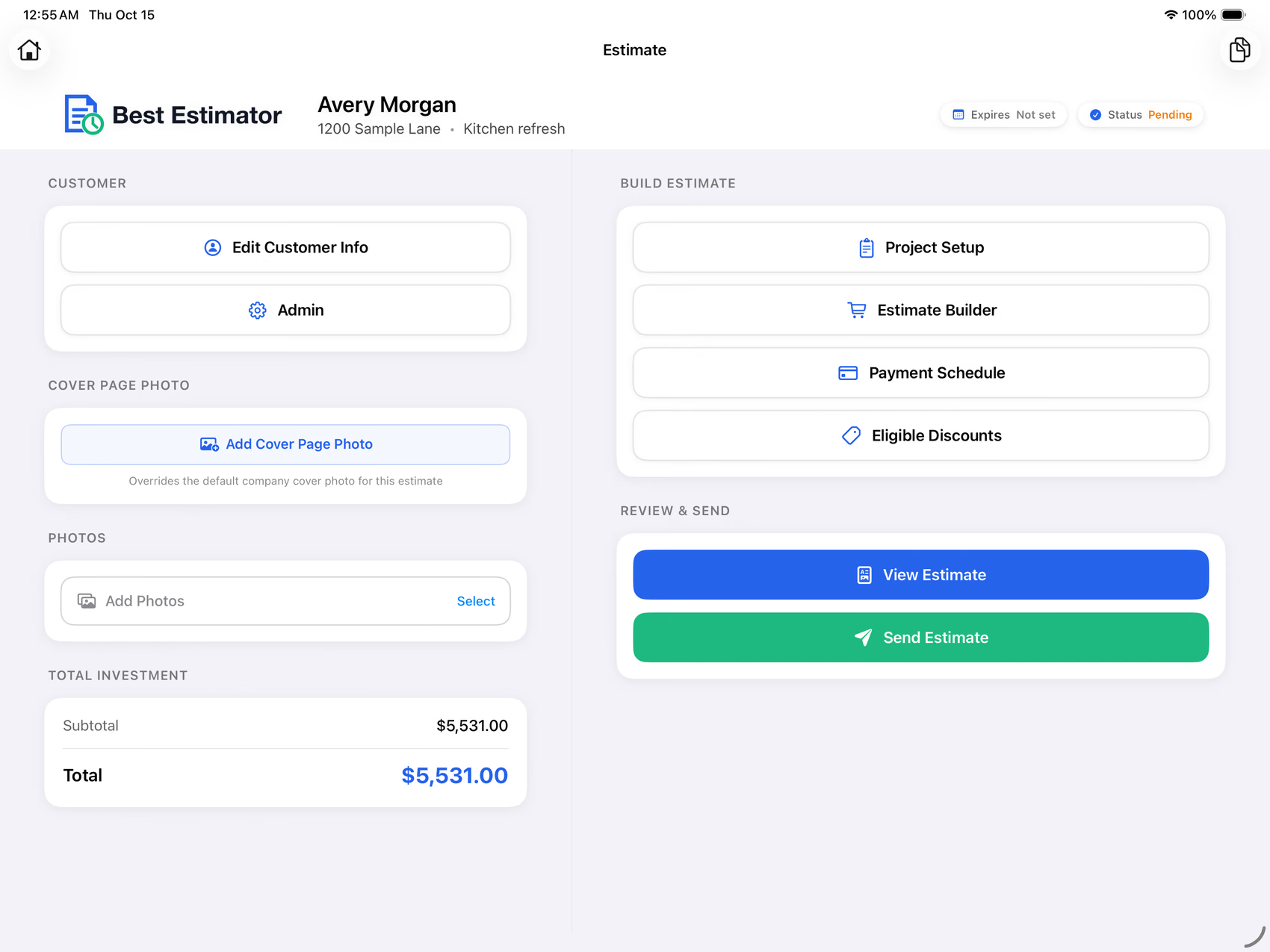
Best Estimator's iPad workspace with a fictional remodeling customer and saved project
Actual app. Fictional project. A workspace designed around the job.

01 / Custom costbooksOrganize your materials, labor, units, quantities, and prices in a custom catalog.

02 / AI-assisted setupLet your own assistant help configure the questions and rules. Review before applying.

03 / Your presentationSend customers a proposal that is clear and easy to review.

The estimate starts with what you know

Less starting over.
More building on your experience.

Standardize the work that repeats, then make room for the details that make each project different.

01 — Build your foundation

A repeatable start.
For every new project.

Keep the customer, project details, and estimating tools in one workspace. Set up the questions your team should ask before choosing the items and quantities.

  • Capture the customer and scope before building the estimate.
  • Use your own costbook for the materials and services you offer.
  • Manage shared costbooks and company settings on the web.
Learn to set up your costbook
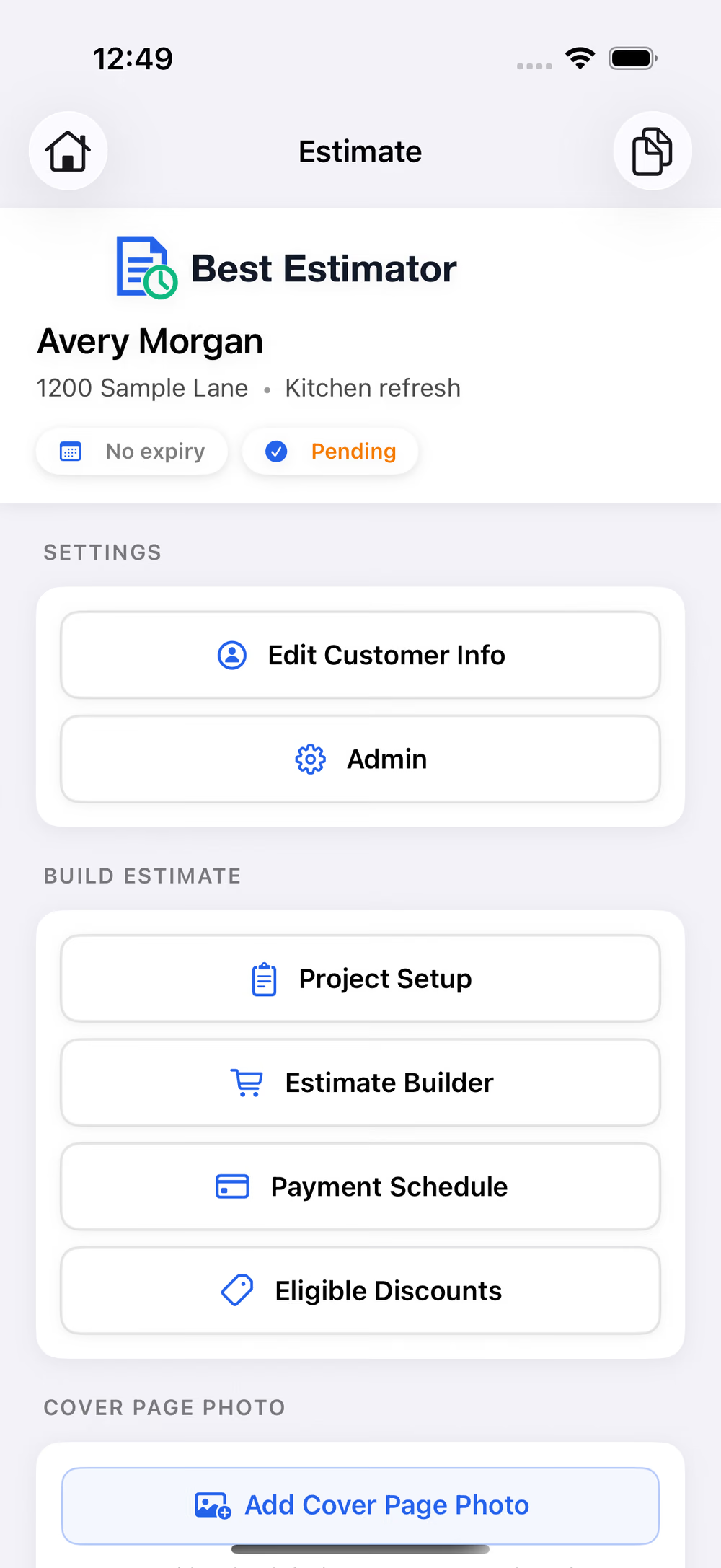
Actual Best Estimator iPhone demo connecting customer details, project setup, and estimating tools
Your customer, project, and estimating tools stay together on iPhone.
Your expertise. Your assistant. Your approval.

A custom costbook starts
with a conversation.

Connect your own Claude or Codex assistant through MCP. Explain the work you do, the way you price it, and the questions your team asks. Let AI help turn that knowledge into a proposed setup you can inspect.

  1. 01 / Interview

    Tell it how you work.

    Your trade, services, folders, units, rates, and project questions. It inspects your existing company setup first.

  2. 02 / Propose

    Build on your costbook.

    Draft costbook items, folders, questions, pricing rules, and supported proposal settings while preserving existing identities.

  3. 03 / Review and approve

    You stay in control.

    Review readable changes in your account. Your assistant cannot approve its own proposal; applying it requires your separate approval.

  4. 04 / Practice

    Check a real calculation.

    Try a fictional project. Verify quantities, matching rules, tax, totals, and the PDF before using the setup with customers.

MCP setup is included in the full free app. Use your own compatible AI client and account; any AI-provider fees are separate. Company owners and administrators authorize access. These setup tools do not access customer records, send messages, invite teammates, or change billing.

A clearer path from scope to proposal

Keep the job moving.
Leave the re-entry behind.

Your costbook, project answers, quantities, and proposal belong in one connected estimating process.

  1. 01

    Capture the scope

    Ask the questions that matter to this project.

  2. 02

    Build with your prices

    Choose costbook items and enter quantities.

  3. 03

    Review the details

    Check costs, adjustments, tax, and totals.

  4. 04

    Present the proposal

    Export a clear, branded PDF for your customer.

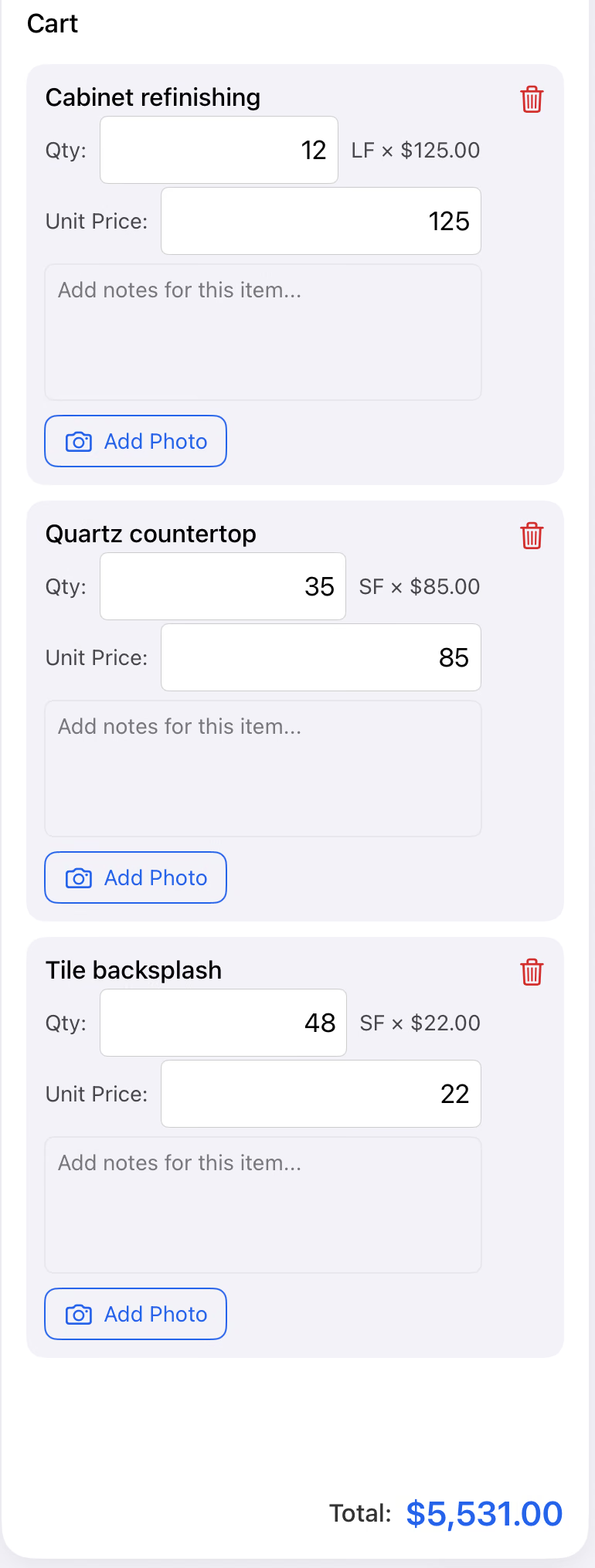
Actual demo estimate showing item quantities and an itemized cost breakdown
Review the details before they become the customer's proposal.
02 — Keep the details in view

A confident total
starts with clear inputs.

Bring project answers, line items, quantities, and pricing adjustments together. Review what is in the estimate before you present it.

  • Use setup questions to capture the project scope.
  • Apply rules for the pricing situations you repeat.
  • See the cost breakdown, adjustments, and tax.
Explore the estimating tools
Illustrative scene of a contractor and homeowner reviewing kitchen remodeling plans
AI-generated illustration of remodeling project planning.
Made for the conversation on site

More attention on the project.
Less on the paperwork.

When your estimating process is organized, it is easier to walk through the scope, discuss choices, and explain what is included.

For remodeling, installation, repair, and other home service work.

03 — Put your best work forward

The proposal is part
of your first impression.

A polished PDF gives the customer a clear record of the work, the price, and the terms. Bring your branding and the project details into one consistent presentation.

  • Your company identity and project information.
  • Organized line items and clearly presented totals.
  • Configurable PDF labels, tax, and agreement wording.
Get your proposal settings right
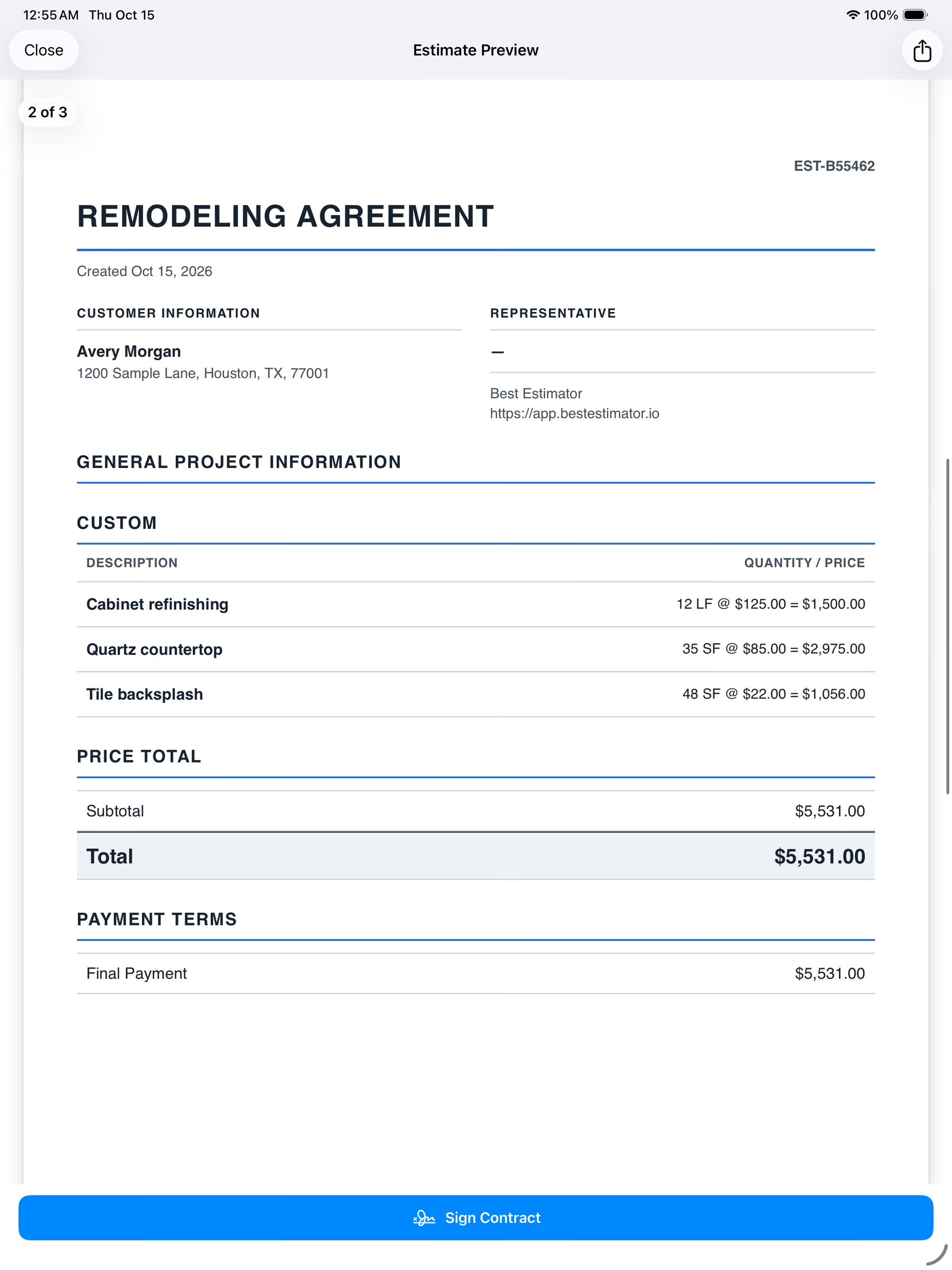
Best Estimator's actual itemized PDF proposal preview for a fictional renovation project
Actual PDF preview · Fictional demo project. Scroll to explore.
Put your own numbers to it

What is less
repeat work worth?

Use your own assumptions to explore the value of time you might recover. This is an editable scenario, not a promised result or a typical-customer claim.

Illustrative monthly value of recovered time$433

8.7 hours per month × your hourly value

Full version with ads$0 / month
Entire company ad-free$10 / month

Uses 4.33 weeks per month. Time value is not cash savings, revenue, or profit. Your actual results depend on your workflow.

A straightforward choice

All the features.
A plan for the way you work.

The full app—including custom costbooks and MCP-assisted setup—is free with ads. Both plans include your entire company and unlimited team members.

Free with ads

$0 / month

The full version, supported by discreet ads. No subscription or credit card required.

Start free

Already subscribed? Your existing agreement and price remain unchanged. See pricing details →

You do not have to figure it out alone

Start with a good setup.

Follow detailed guides for company branding, costbooks, project questions, pricing rules, and PDF proposals.

Open the helpdesk
Illustrative finished bathroom showing the kind of remodeling project contractors estimate
AI-generated remodeling inspiration; not a customer project.
Kinetic View Also from Best ROI Media
The business around the estimate

A clear estimate.
A clearer view of your business.

You have a tool for building the proposal. Meet the CRM built for home remodeling businesses: organize leads, sales appointments, follow-ups, jobs, and service calls with Kinetic View.

Explore Kinetic View

$25/month with discreet ads · $50/month ad-free
Start with a 14-day free trial.

Kinetic View is a separate product with its own account and subscription.

Keep the next step in view

  1. Follow the opportunity.

    Keep customer details, lead activity, and follow-ups organized.

  2. Give sales a clear schedule.

    See assigned appointments and record the outcome.

  3. See what happens after the sale.

    Track jobs, production milestones, and service calls.

Best Estimator Costbooks & proposalsKinetic View Customers & workflow
Your next estimate starts here

Make it clear.
Make it yours.

Bring your costbook, your process, and your brand into Best Estimator.

Create your free account View the app on the App Store